Guide
How to Deploy an App from ChatGPT
Add the Embarko plugin once, ask ChatGPT to deploy, and get a live HTTPS link. No terminal or GitHub.
.embarko.app.To deploy an app from ChatGPT, add the Embarko plugin once, then ask ChatGPT to deploy.
Open chatgpt.com/plugins/embarko, add Embarko and sign in. Back in your chat, send “Deploy this app to Embarko and send me the live link.” ChatGPT sends the files and replies with a link ending in .embarko.app. The app is in your account from the first deploy. No plugin? Upload the file yourself. Go to the steps
What you need
An app or website ChatGPT made for you in a chat. A single page works, and so does a project with several files.
ChatGPT in the browser or the desktop app.
An Embarko account. You can create one for free when the plugin asks you to sign in.
An app that fits: a website, or one server process with up to 256MB of memory. What can I deploy?
01 — The steps
Deploy from ChatGPT with the Embarko plugin
A plugin is ChatGPT’s word for an add-on that lets it act in another service. With the Embarko plugin, ChatGPT can deploy and manage your apps, signed in as you. You add it once, and it works in every chat after that.
Four steps. Tap a number when you’ve done it. 0 of 4 done.
-
Add the Embarko plugin
Open this link in the browser where you use ChatGPT:
Add Embarko, then sign in. It’s the same sign-in as embarko.ai, so you’ll see any apps and workspaces you already have.
chatgpt.com/plugins/embarko
EmbarkoDeploy and manage your apps from the chat
Sign in to Embarko Same sign-in as embarko.ai
Added once, the plugin works in every chat after that.
If ChatGPT later says it can’t reach Embarko, the plugin isn’t added on this account. Open the link again.
-
Ask ChatGPT to deploy
Go back to the chat where ChatGPT built your app and send:
Deploy this app to Embarko and send me the live link.Want to choose the address? Add a name, for example “Call it
bakery-menu.” Names use lowercase letters, numbers and hyphens, 3 to 63 characters..embarko.app- Lowercase letters, numbers and hyphens
- 3 to 63 characters 11
Type a name, then send the message.
You’ll know it worked when ChatGPT replies with a link like
bakery-menu.embarko.app. -
Open the link
Open the link and click through your app. A website with no server is ready right away. An app with a server needs a short build, so ChatGPT may say it’s still building. Ask it to check the status, then open the link again.
An app with a server builds first. Ask ChatGPT to check the status, then open the link again.
If the page shows an error, ask ChatGPT:
Read the logs for my Embarko app and fix the error.It can read the app’s logs through the plugin.
-
Share it
The app is already in your Embarko account, so there’s nothing to keep or claim. Send the link to anyone. The link keeps working, and later deploys update the same link.
in your chatbakery-menu.embarko.appOnly you can see it
Finish the four steps and your app gets a live link.
Stuck at any step? Most problems have a one-line fix: a missing plugin, a taken name, an expired upload or an app that failed to start.
See common mistakes02 — Track 2 · No plugin
No plugin? Upload the file yourself
Use this route if you can’t add plugins on your ChatGPT account, or you’d rather not.
Ask ChatGPT for the app as a file: “Give me this app as one .html file.” For a project with several files, ask for a .zip.
Download the file.
Sign in at embarko.ai/app. Signing up is free.
Choose Host new app, open Upload file, pick the file and type an app name.
Pick what you’ll upload to watch it go live.
The upload page takes one .html file with any name: it becomes the home page. It also takes a .zip or a whole folder. The app is in your account from the start, and it’s live in about a minute.
03 — Big apps
When your app is too big for one reply
ChatGPT sends your app as text inside its reply. A small app goes in one message. An app over about 150 KB goes up in parts: ChatGPT opens an upload, sends the files a piece at a time, then deploys them together. Even one long file can be split.
You don’t need to do anything for this. ChatGPT picks the method on its own.
Two things can still stop a big upload:
- The parts take too long. An open upload expires after 60 minutes without use. Ask ChatGPT to start the deploy again.
- The parts keep getting cut off. This happens more in a very long chat. Start a new chat, paste in the app’s files or ask ChatGPT to rebuild them there, then deploy. Or upload the file yourself.
Uploads are limited to 25MB and 2,000 files. Photos and videos inside the app count toward that, so keep large media out of the app and link to it instead. Embarko’s file storage can hold those files and gives each one a public link.
04 — After it’s live
What ChatGPT can do after it’s live
The plugin isn’t only for the first deploy. Ask ChatGPT in plain words and it can:
| Ask ChatGPT to | What happens |
|---|---|
| “Change the heading and redeploy.” | It updates the same app at the same link. |
| “Is my app running?” or “Show the logs.” | It reads the app’s status and logs. |
| “Set my OpenAI API key as an environment variable.” | The key is stored on Embarko, not in the page, so visitors can’t see it. |
| “Roll back to the last version.” | It switches to the previous working deploy. |
“Connect my domain menu.example.com.” | It registers the domain and tells you the DNS record to add. |
| “Rename my app” or “Delete my app” | It asks you to confirm first. |
Paste API keys into the chat only when you’re setting them as environment variables, and never put a key in the app’s code. See environment variables.
05 — Questions
FAQ
Does every ChatGPT account get the Embarko plugin?
Embarko’s docs list the plugin at chatgpt.com/plugins/embarko but don’t say which ChatGPT plans can add plugins. If you can’t add it, use the upload route. It works with any ChatGPT plan.
Is the plugin the same as Embarko’s Claude connector?
It gives ChatGPT the same Embarko tools. Claude calls it a connector and ChatGPT calls it a plugin. If you also build in Claude, see how to host a website built with Claude.
Can ChatGPT deploy a site with a backend and a database?
Yes, if the backend runs as one process. Ask ChatGPT to keep the data in SQLite under DATA_DIR, the folder Embarko keeps between deploys. Embarko has no managed database, and data isn’t backed up, so keep your own copy of anything important. See data.
I use Codex, not the ChatGPT chat. Does this guide apply?
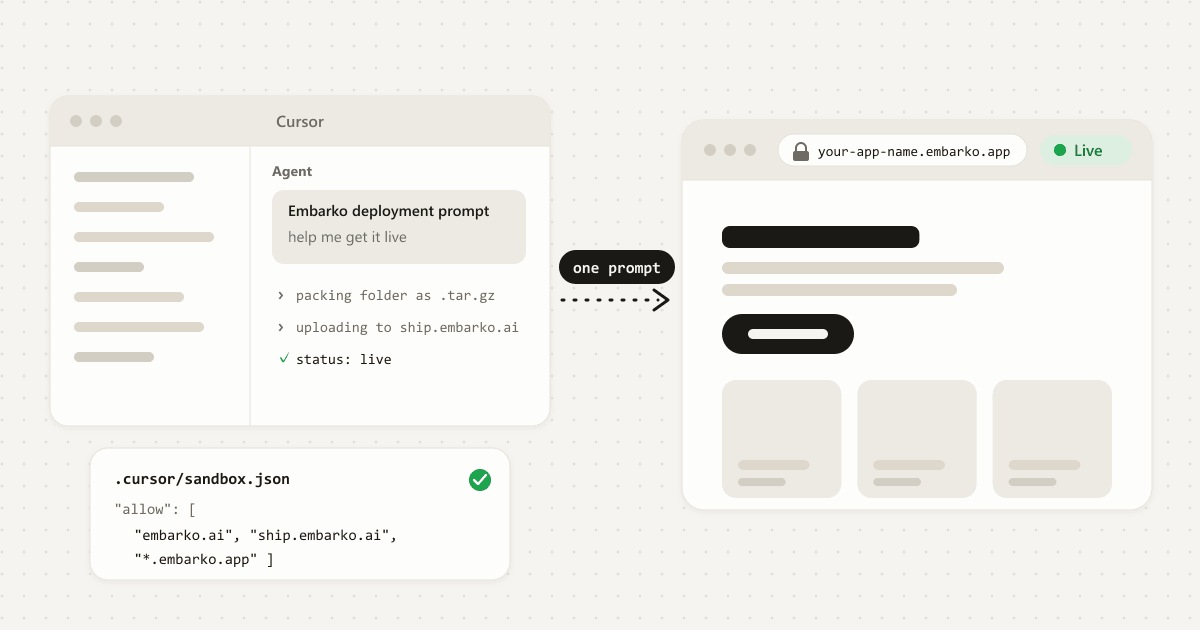
Not quite. Codex can run commands, so it deploys with Embarko’s deployment prompt instead of the plugin. Copy the prompt from embarko.ai and paste it into Codex. The AI app guide walks through it.
Can I make the app private?
Yes. Ask ChatGPT to lock it. Visitors then sign in with an Embarko account in your workspace, and you can set a password for anyone else in the dashboard. See private apps.
Your app, still inside the chat
Your turn
Deploy your ChatGPT app now
Built something in ChatGPT? Add the Embarko plugin and ask ChatGPT to deploy it. Your link is ready in the same chat.
- Add the plugin
- Ask ChatGPT to deploy
- Share your link
Keep reading: How to deploy an AI app · Deploy an app without GitHub · Connectors · Errors reference
 Claude
 ChatGPT
 Codex
 Cursor
 Lovable